

Adding the Gift Card Lookup Page to your navigation - Govalo Support Center
Adding the Gift Card Lookup Page to your navigation
The lookup page offered by Govalo allows recipients who have received gift cards from your store to check the details, including the remaining balance, in their gift cards. Follow the steps below to add that page to your store's menu.
In the Govalo app, go to Configure > Configure lookup page.
Copy your lookup page URL:

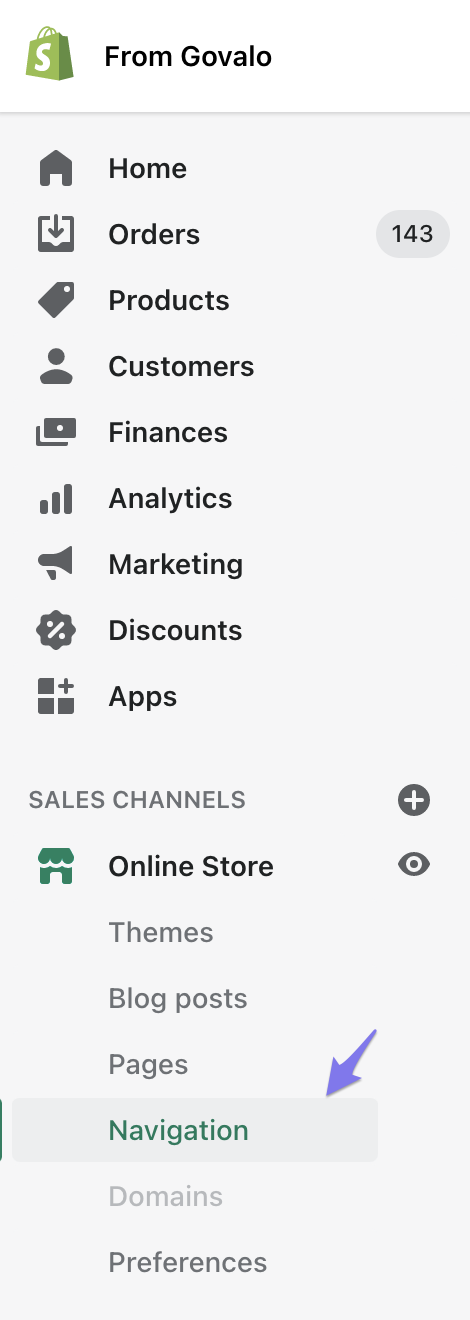
In Shopify, go to Online Store > Navigation:
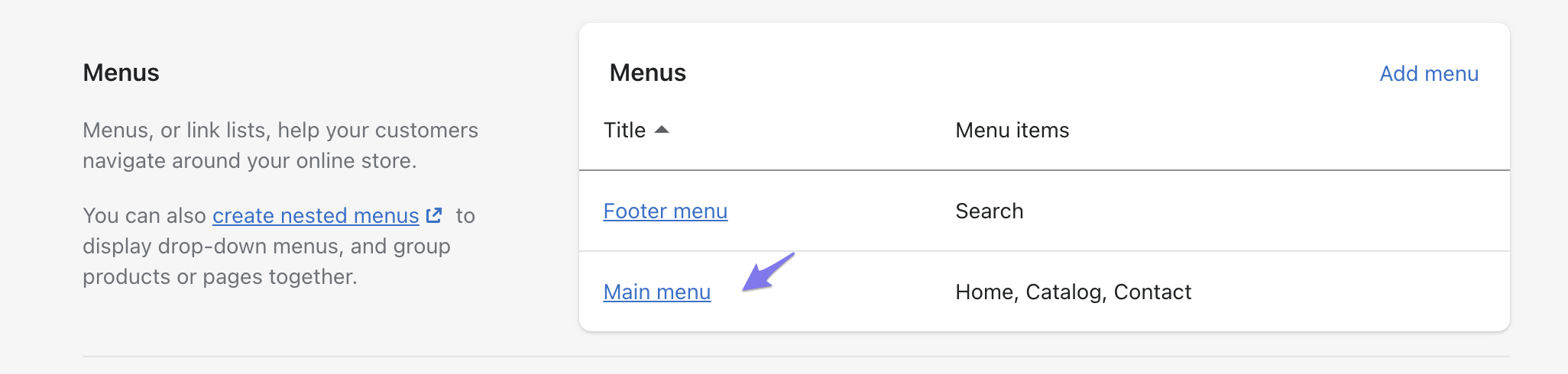
From there, click on either Footer menu or Main menu:
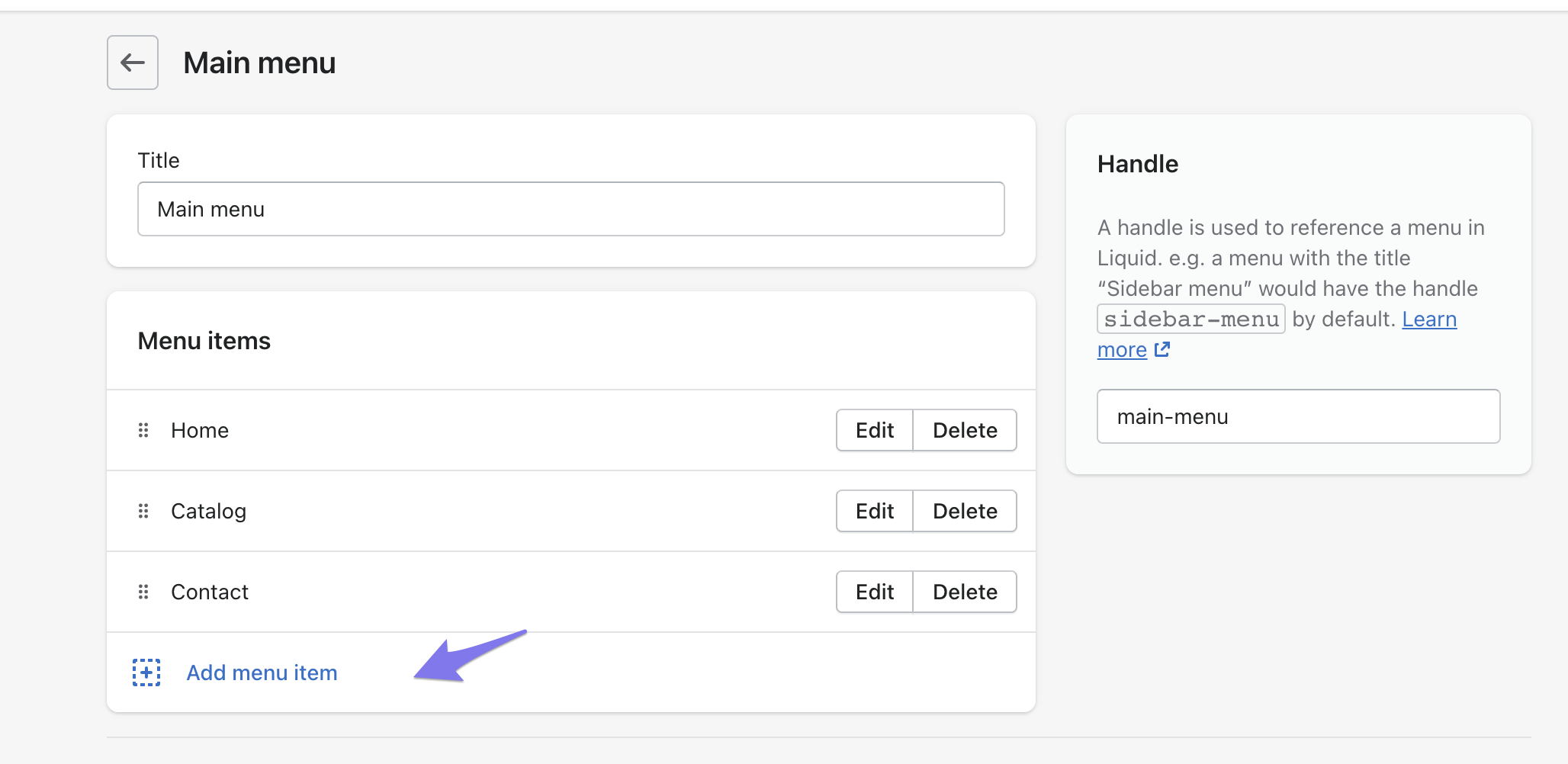
Next, click Add menu item:
Put your desired name (e.g. "Check your Gift Card balance") in the Name field, and the URL copied earlier in the Link field:
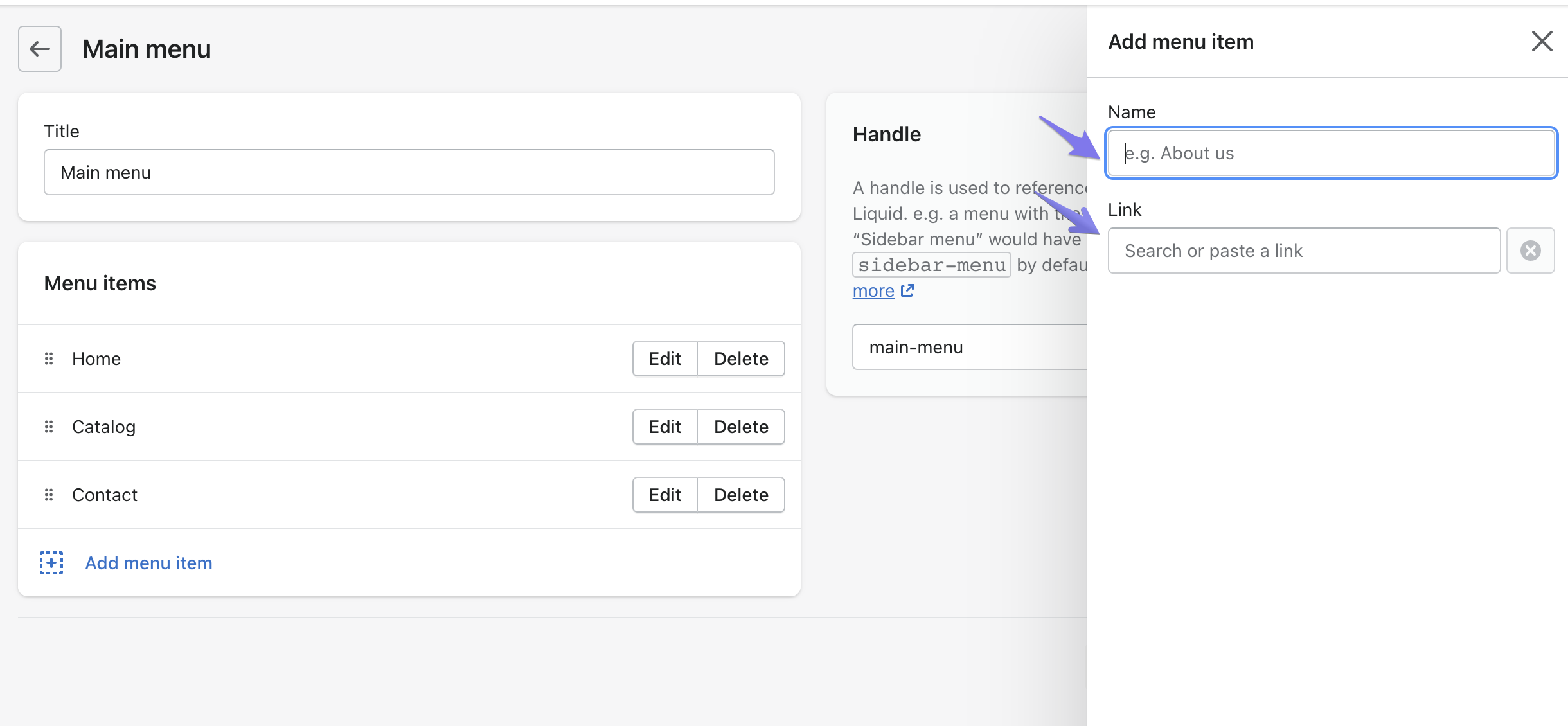
Click the Add button at the bottom of the Add menu item slide out drawer.
You will now see the Gift Card lookup page reflected in your navigation!
Related Articles